Akko MonsGeek FUN60 PRO HE Magnetic Keyboard 60% Esports Gaming Keyboard Rapid T
SPECIFICATIONS
AKKO Model: MonsGeek FUN60
Application: Desktop,Laptop,Tablet
Axis Body Brand: AKKO
Backlight Type: MULTICOLOR
Battery: N/A
Battery Included: no
Brand Name: AKKO
Case Color: Black/White
Case Material: ABS
Certification: CE,weee
Connectivity: USB-C Wired Only
Full Size keyboard: No
High-concerned chemical: None
Interface Type: USB
Key Feature: Custom Actuation/Mod-Tap/Toggle Key/Dynamic Keystroke/Keys Remapping/SOCD
Keyboard Standard: 61 Keys
Keycup material: PBT plastic
Keycup printing: Doublshot
LED: ARGB
Language: English
Magnetic Switch Cross-Compatibility: Yes
Model: MonsGeek FUN60 PRO Magnetic Switch Mechanical Keyboard
Mount: Tray-mounted
Operation Style: Mechanical
Origin: Mainland China
Package: Yes
Plate: Aluminum
RT Stabilizer: YES
Software: MonsGeek Driver & Web-Based Driver
Stabilizer: Pre-Lubed Plate-Mounted Stabilizer
Style: Standard
Type: Wired
Wrist Support: No
Introducing MonsGeek FUN60 Pro Magnetic Switch Keyboard!
It’s time to be revolutionary and make something different.
Highlights:
✔️ Cross-compatible with Major Magnetic Switches
✔️ 0.01mm RT for Superior Gaming
✔️ Wired 8K polling rate, offering ultra-fast response times and smoother
Cross-Compatible with Mainstream Magnetic Switches and Machanical Switches
The FUN60 Series (except FUN60 Basic Version)offers cross-compatibility with 5 third-party magnetic switches. Users can select the corresponding switch from the list in the MonsGeek Driver and easily calibrate the keyboard after replacement. You can also mix and match them in different keys simultaneously.
Disclaimer: High-percision switches require tuning and experimenting with the keyboard. The switches listed are guaranteed to perform at 0.01mm precision. Other switches may work but are unable to reach the claimed accuracy.
Turbo Mode for Rapid Trigger Turbo Mode can be enabled for quick recognition and easy management. Keys with Turbo Mode activated are marked with a “flash” icon, so they’re easy to spot at a glance.For example, assigning Turbo Mode to WASD enhances responsiveness and improves the overall gaming experience.Try the MonsGeek V4 Driver, plugin-free at app.monsgeek.com. | 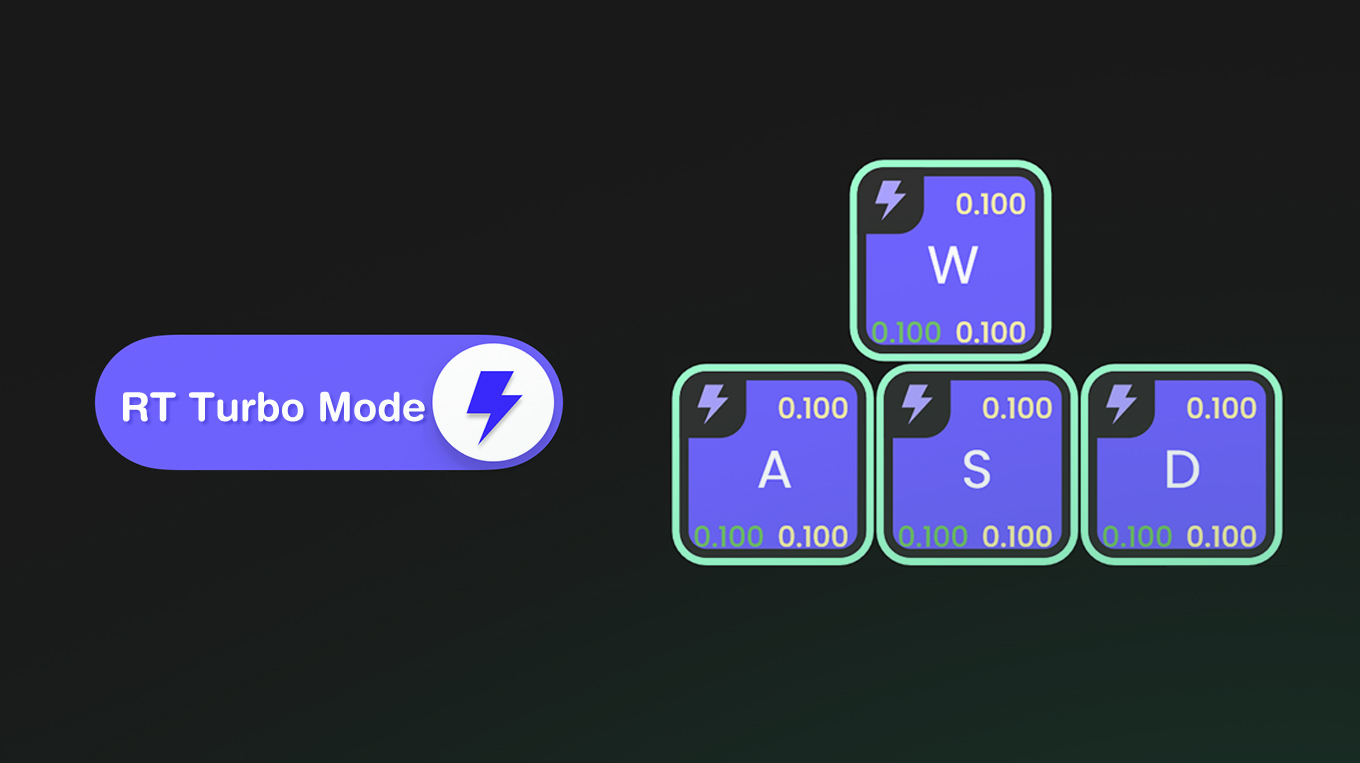 |
 | ARM Cortex-M4 CPU
The powerful CPU delivers enhanced processing power with low < |